Free for 14 days

Will this IPTV player for smart TV work on yours?

Looking for an IPTV player for smart TV? Tap your TV and get one honest answer.

Which TV do you have?

Fire TV Stick or Fire TV

Yes, if it runs Fire OS.

Fire TV Stick, Fire TV Cube and Fire TV smart TVs with Fire OS work. Free for 14 days.

Not on Vega OS. The newest Fire TV Sticks run Vega OS, for example Fire TV Stick 4K Select. They cannot install apps from outside the Amazon Appstore.

Not sure which one you have?

On the TV, open Settings → My Fire TV → About. It shows your device name. Still not sure? Email support@gotoplayer.app.

On your TV, open the Downloader app and type:

Downloader code

1129312
Android TV or Google TV

Yes.

This IPTV player for smart TV works on Android TV and Google TV. Free for 14 days.

On your TV, open the Downloader app and type:

Downloader code

1129312
Android TV box

Yes.

This IPTV player for smart TV works on Android TV boxes too. Free for 14 days.

On your TV, open the Downloader app and type:

Downloader code

1129312
Samsung

Not directly.

GoTo Player has no app for Samsung smart TVs.

The easy fix. Plug a Fire TV Stick that runs Fire OS, or an Android TV box, into the TV's HDMI port.

Then use the code 1129312 in the Downloader app.

See the install steps

LG

Not directly.

GoTo Player has no app for LG smart TVs.

The easy fix. Plug a Fire TV Stick that runs Fire OS, or an Android TV box, into the TV's HDMI port.

Then use the code 1129312 in the Downloader app.

See the install steps

Roku

Not directly.

GoTo Player has no app for Roku.

The easy fix. Plug a Fire TV Stick that runs Fire OS, or an Android TV box, into the TV's HDMI port.

Then use the code 1129312 in the Downloader app.

See the install steps

Apple TV

Not on Apple TV.

GoTo Player is on iPhone and iPad.

App Store

Not yet in the App Store in EU countries.

For the TV itself, the easy fix. Plug a Fire TV Stick that runs Fire OS, or an Android TV box, into the TV's HDMI port.

Then use the code 1129312 in the Downloader app.

See the install steps

Another TV, or not sure

Let's find out.

Does the TV's home screen say Android TV or Google TV? Then yes. A Fire TV with Fire OS works too. Free for 14 days.

If not, the easy fix. Plug a Fire TV Stick that runs Fire OS, or an Android TV box, into the TV's HDMI port.

Not sure? Email support@gotoplayer.app the name of your TV.

Email usSee the install steps

What this IPTV player for smart TV looks like

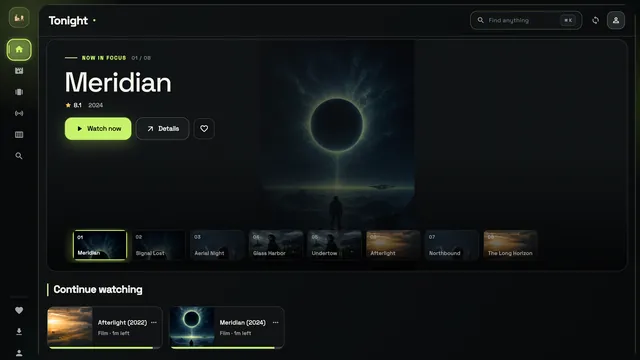
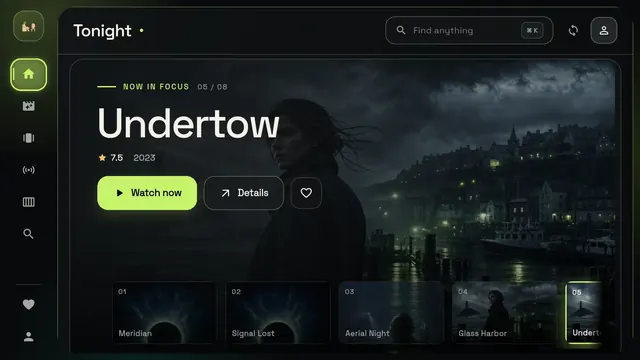
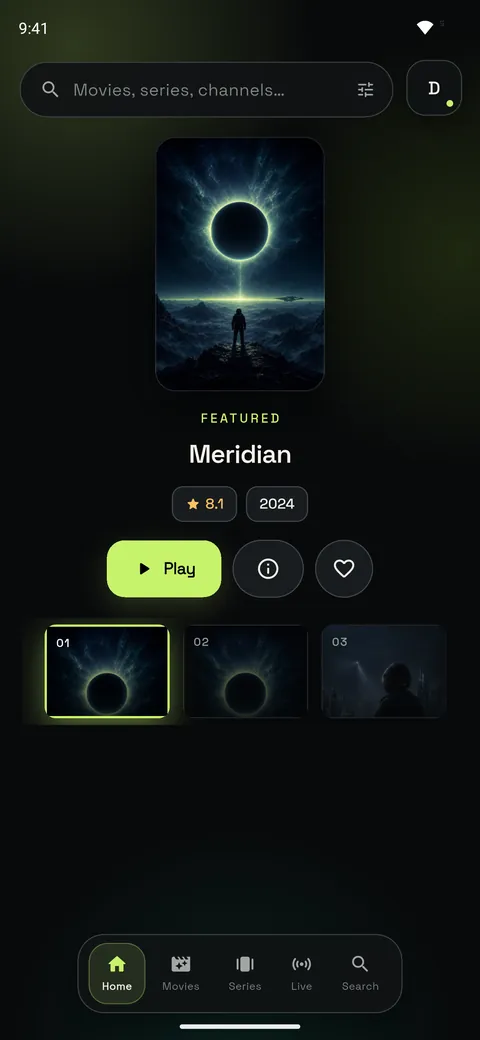
GoTo Player, an IPTV player for smart TV: the home screen with a featured sample title
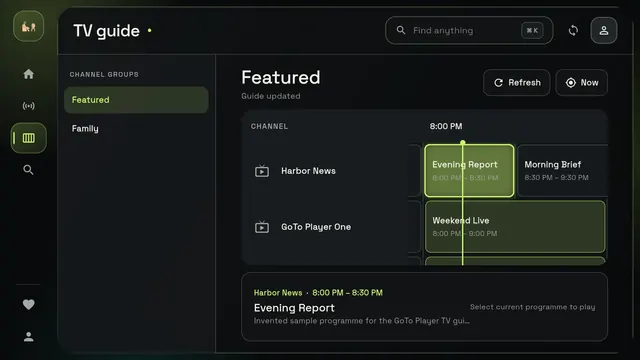
GoTo Player TV guide on a TV, with sample programs

Real app screens with sample titles.

Phone, tablet or PC instead?

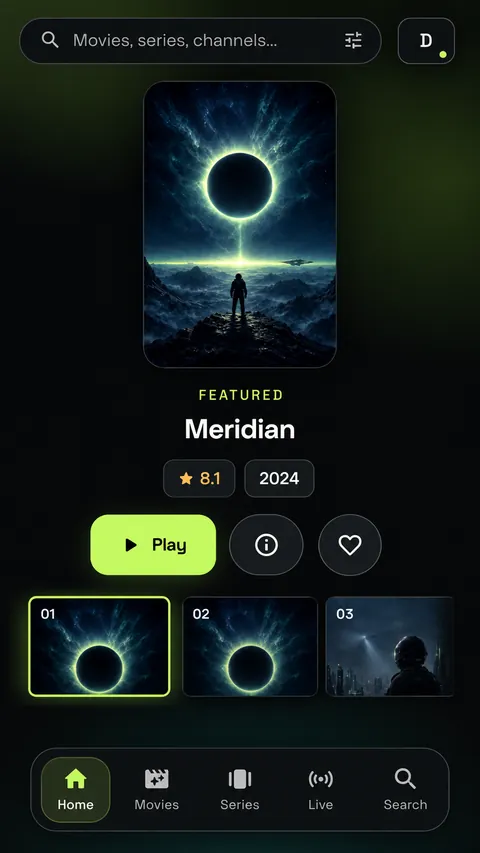
GoTo Player on iPhone: home screen with the Play button
GoTo Player on Windows: home screen with Continue watching
GoTo Player on an Android phone: home screen with Movies, Series, Live and Search

GoTo Player is not only an IPTV player for smart TV. It is also on iPhone and iPad, Android phones and tablets, and Windows.

See the other apps

IPTV player for smart TV questions

What is an IPTV player for smart TV?

It is an app that plays your own playlist or provider login on your TV. GoTo Player is a player only. There are no channels, movies, series or subscriptions inside.

Which TVs does it work on?

This IPTV player for smart TV works on Android TV, Google TV and Android TV boxes. Fire TV devices with Fire OS work too. It does not work on the newest Fire TV Sticks with Vega OS.

Samsung, LG and Roku: not directly. Tap your TV above to see the easy fix.

Samsung, LG or Roku: do I need a new TV?

No. Plug a Fire TV Stick that runs Fire OS, or an Android TV box, into your TV's HDMI port. Then install the IPTV player with the code 1129312.

What does it cost?

Free for 14 days. Prices are on the home page.

GoTo Player is a media player only. It does not include, sell or host any channels, movies, series or subscriptions. You add your own authorized sources.

1 Try it

Download GoTo Player

Free for 14 days. On your TV, open Downloader and type:

1129312

Download and install

Also for Android, iPhone, iPad and Windows.

2 Keep it

Pick your plan

Like it? Activate your TV and keep watching your own playlist.

  • 1 year
  • Lifetime
Activate my TV

$7 a year or $20 lifetime. You need the MAC and KEY shown on your TV.