 GoTo Player
Android · Tablet · Android TV
Your playlists.
One beautiful player.
GoTo Player is a modern media player for the sources you already use. Add your own playlist or provider login, browse with a TV guide, save favorites and pick up where you left off on any screen.
GoTo Player is a media player only. It does not include, sell or host any channels, movies, series or subscriptions. You add your own authorized sources.
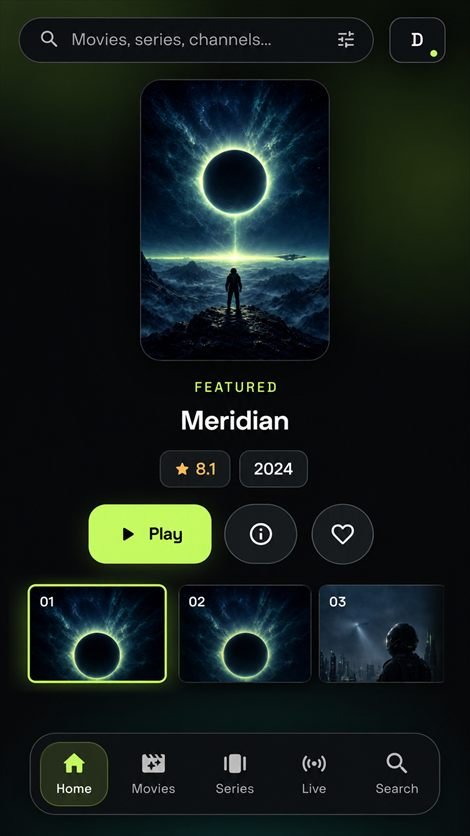
Everything you need to watch
A clean, fast player built for touch screens and TV remotes alike.
Phone, tablet & TV
Layouts made for touch and for Android TV with full remote control navigation.
Your own sources
Connect an M3U playlist or a compatible provider login. Save several profiles.
TV guide (EPG)
See what's on now and next, with program guides from your source.
Offline downloads
Save titles to watch later where your content rights allow it, with progress in the background.
Favorites & resume
Keep your favorites close and continue watching right where you stopped.
Subtitles & audio
Switch audio tracks and subtitles, adjust size and sync, and use picture-in-picture.
Private by design
No ads, no analytics, no advertising ID. Your logins are stored encrypted on your device and go only to the service you choose. Read the privacy policy.
Join the beta
GoTo Player is in closed testing on Google Play. Join in three quick steps using the Google account on your Android device, then keep the app installed for at least 14 days to help us launch.
Install the app
Install GoTo Player from Google Play. Updates arrive automatically.
Install from Google PlayFAQ
Does GoTo Player include channels or movies?
No. GoTo Player is only a player. It does not provide, sell or host any content. You add your own playlist or provider that you are authorized to use.
Can I try it without an account?
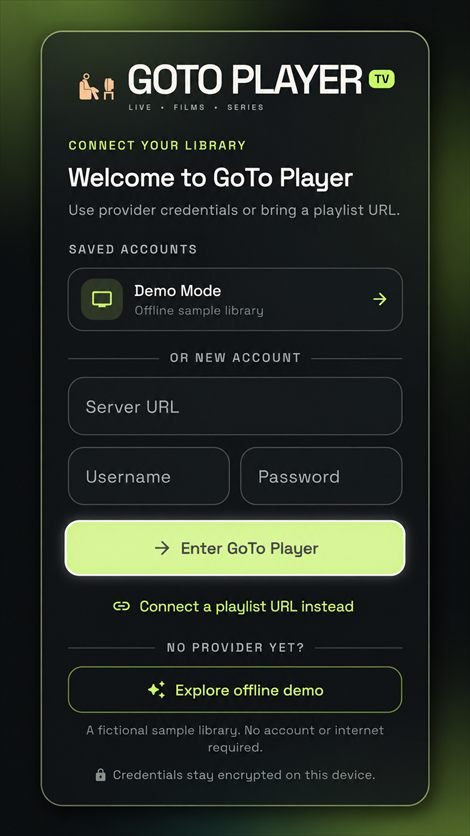
Yes. Tap Explore offline demo on the welcome screen to try the app with a fictional sample library.
Which devices are supported?
Android phones and tablets running Android 7.0 or newer, and Android TV / Google TV devices.
The Google Play link says the app isn't available.
During the beta, the app is only visible to testers. Complete steps 1 and 2 above with the same Google account you use on your device, then try again.
How do I get help?
Visit the support page or email support@gotoplayer.app.